

Download ScribeFire – Fast, Free Blog Editing Extension for Firefox
Overview of ScribeFire
ScribeFire is a powerful Firefox extension that transforms the way you create and manage blog posts. Designed for bloggers who juggle multiple platforms, ScribeFire lets you write, edit, and publish content directly from your browser without the need to log into each individual blogging service. Whether you run a personal WordPress site, a corporate Drupal blog, or a vibrant Tumblr community, ScribeFire provides a unified, distraction‑free editing environment that mirrors the features of native online editors while adding its own efficiency‑boosting shortcuts.
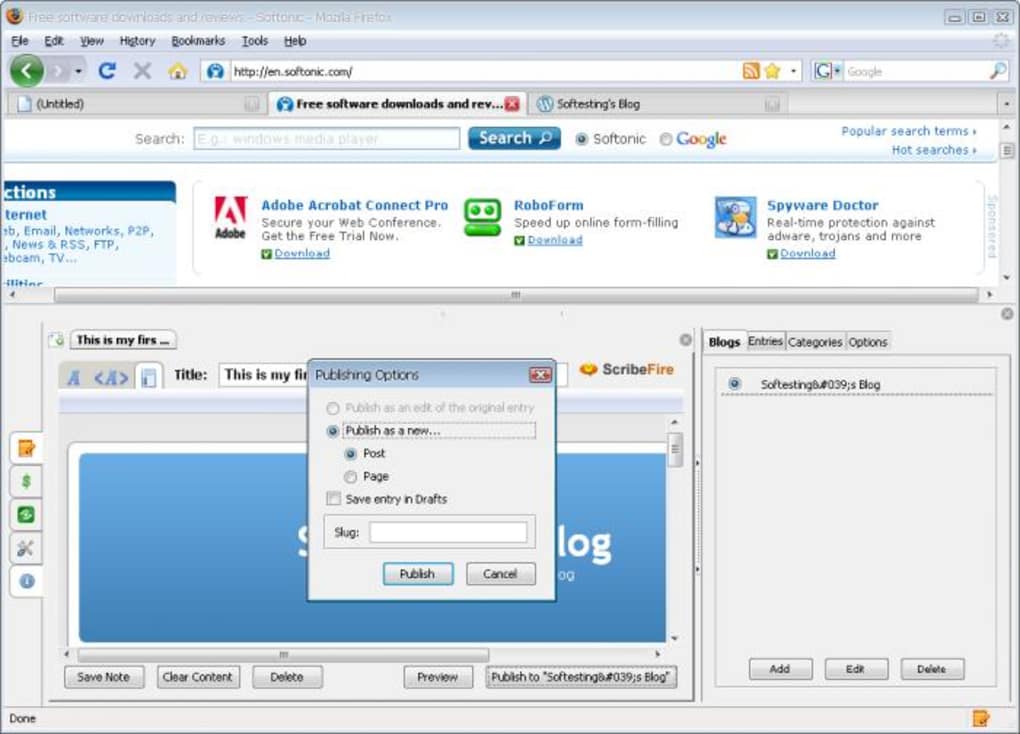
The interface appears with a single press of F8 or a click on the small icon at the bottom‑right corner of Firefox. Once opened, a tabbed editor window lets you keep several drafts open simultaneously, switching between them as easily as flipping through browser tabs. This multi‑post capability is a game‑changer for writers who schedule weekly updates across different sites. ScribeFire also integrates social promotion tools, allowing you to push finished articles to Facebook, Digg, and other popular networks with just a click.
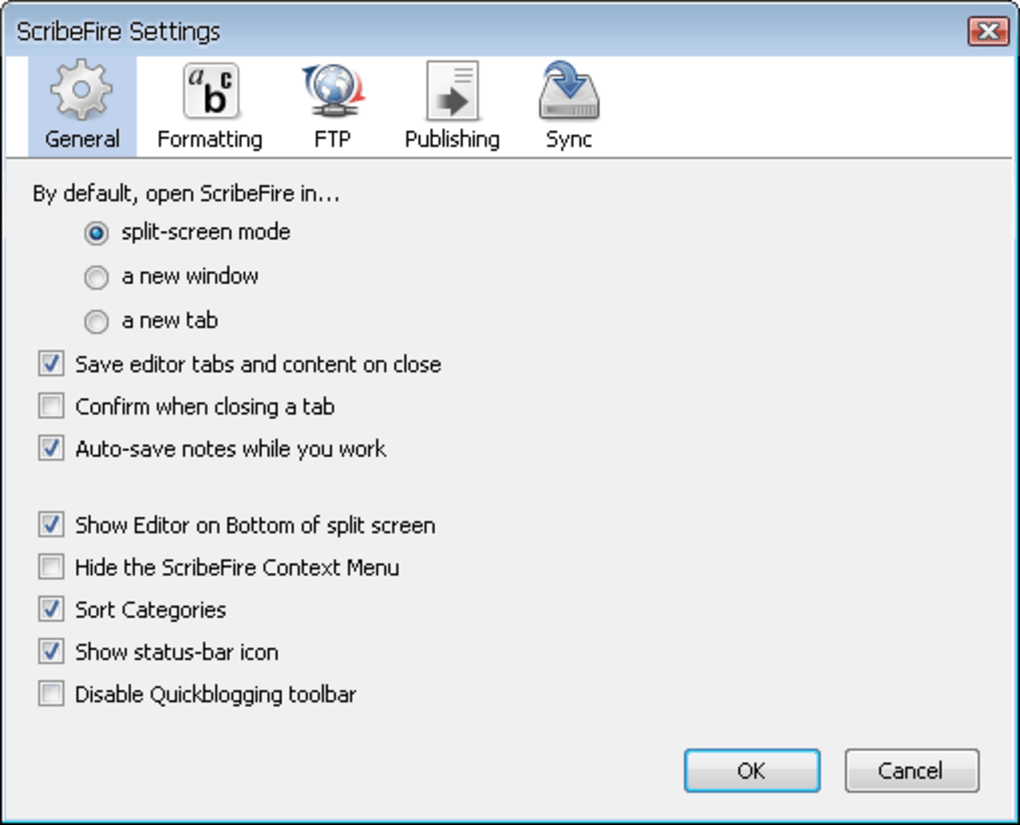
One of the most reassuring aspects of ScribeFire is its built‑in autosave. Even if you close the browser or experience a crash, the extension stores everything you typed, so you never lose a paragraph. Embedding media—images, videos, or external web pages—is straightforward thanks to intuitive buttons that generate the proper HTML snippets for you. In short, ScribeFire is a free, secure, and constantly updated solution that consolidates the fragmented workflow of modern bloggers into a single, efficient workspace.
Key Features
- One‑click access via F8 or toolbar icon.
- Tabbed editing for multiple drafts across different blogs.
- Support for major platforms: WordPress, Drupal, Movable Type, Blogger, Tumblr.
- Automatic blog detection by entering the blog URL.
- Seamless media embedding (images, videos, web pages).
- Autosave functionality that preserves drafts after closing the browser.
- Social sharing buttons for Facebook, Digg, and more.
- Customizable settings for monetization and post promotion.
- Free download with regular security updates.
Installation, Setup, and Compatibility
Installing ScribeFire is a straightforward process that takes less than two minutes for most users. First, navigate to the official Mozilla Add‑Ons page and click the “Add to Firefox” button. Firefox will prompt you to confirm the installation; once approved, the extension appears as a small flame icon in the lower‑right corner of the browser window. No additional software or admin rights are required, making it ideal for both personal and corporate environments.
After installation, launch the editor by pressing F8 or clicking the icon. The first time you open ScribeFire, you’ll be guided through a quick setup wizard. Simply paste the URL of your blog into the provided field. ScribeFire then queries the site, detects the underlying platform (WordPress, Blogger, etc.), and automatically configures the appropriate API endpoints. If you manage several blogs, repeat the process for each URL; the extension stores all configurations in a tidy list, allowing you to switch between accounts without re‑entering credentials.
Compatibility is a cornerstone of ScribeFire’s design. The extension runs on any recent version of Firefox (v78 and later) on Windows, macOS, and Linux. Because it operates entirely within the browser, there’s no need for separate desktop applications, and the same extension can be synchronized across multiple devices using Firefox Sync. While ScribeFire is built for Firefox, a lightweight web‑based version is planned for Chrome and Edge, ensuring broader accessibility in the near future.
Supported operating systems: Windows 10/11, macOS 10.15+, Linux distributions with Firefox support.
Pros, Cons, and Frequently Asked Questions
Pros
- Free and regularly updated, offering a secure blogging environment.
- Multi‑blog support saves time for creators with diverse online presences.
- Autosave prevents data loss, a critical feature for long‑form writers.
- Integrated social sharing accelerates audience reach.
- Intuitive media embedding eliminates manual HTML coding.
Cons
- Currently limited to Firefox; Chrome users must wait for future releases.
- Advanced customization (custom CSS/JS) is not yet available.
- Some older blogging platforms may require manual API key entry.
FAQ
Is ScribeFire completely free?
Yes, ScribeFire is offered at no cost. All core features, including multi‑blog editing, autosave, and social sharing, are free. Optional premium add‑ons may appear in future updates, but the basic application remains free.
Can I use ScribeFire on macOS?
Absolutely. ScribeFire works with any recent version of Firefox on macOS, including macOS 10.15 Catalina and later. Installation is identical to the Windows process.
How does ScribeFire handle image uploads for Blogger?
The latest update includes a fixed image‑upload routine for Blogger. After selecting an image, ScribeFire automatically inserts the correct HTML tag and uploads the file to your Blogger media library.
Is my login information stored securely?
Yes. ScribeFire encrypts your credentials locally using Firefox’s built‑in password manager. No data is transmitted to external servers unless you publish a post.
Can I edit posts offline?
While ScribeFire requires an internet connection to publish, you can draft and edit posts offline. All changes are saved locally and will sync once you reconnect.
Overall Rating: 4.5 / 5
ScribeFire delivers a seamless, free solution for multi‑platform bloggers, with only minor platform‑specific limitations.
Conclusion – Start Blogging Smarter Today
If you spend any amount of time juggling WordPress, Blogger, Tumblr, or Drupal, ScribeFire is the shortcut you’ve been waiting for. Its free, secure, and constantly updated design eliminates the repetitive steps of logging into each platform, while the autosave and media‑embedding tools keep you focused on content creation. The extension’s compatibility with Windows, macOS, and Linux via Firefox ensures that you can adopt it on virtually any workstation without additional cost.
The minor drawbacks—limited browser support and the absence of deep custom‑style options—are outweighed by the productivity boost you’ll experience from a single, tabbed editor. For anyone serious about maintaining an active blog presence across multiple sites, ScribeFire is a must‑have addition to your toolkit.
Ready to streamline your blogging workflow? Download ScribeFire now and start writing, editing, and publishing with a single click. Experience the freedom of a unified editor and watch your content reach more readers, faster.







